

01
HOME SECTORYour watersPlace your fleet
YOUR FLEET5 ships ready
Place your fleet. Read your opponent.
Then land the decisive hit.
Battleships puts you in command of five ships on a 10 × 10 grid. Arrange your fleet, choose one of three computer opponents and search the enemy waters. A hit gives you another shot; a miss hands the turn to the computer. Sink every enemy ship before your own fleet is destroyed. Play free in your browser, without an account, registration or download, on your phone, tablet or computer.
At first, the enemy grid tells you almost nothing. The aircraft carrier might be near an edge, the destroyer could be tucked into a corner, and a perfectly reasonable opening shot may find only water. You are choosing where to look, rather than reacting to moving targets.
That uncertainty is the heart of this single-player Battleships game. Each shot changes what you know. A miss rules out a square. A hit creates a lead. A sinking confirms that an entire ship has been accounted for. The useful question is not simply “Where shall I shoot?” but “Which square would tell me something worth knowing?”
The ocean backdrop and naval command panels set the scene. There is no time limit forcing a hurried decision, so take a moment to read the coordinates and review the marked squares before committing.
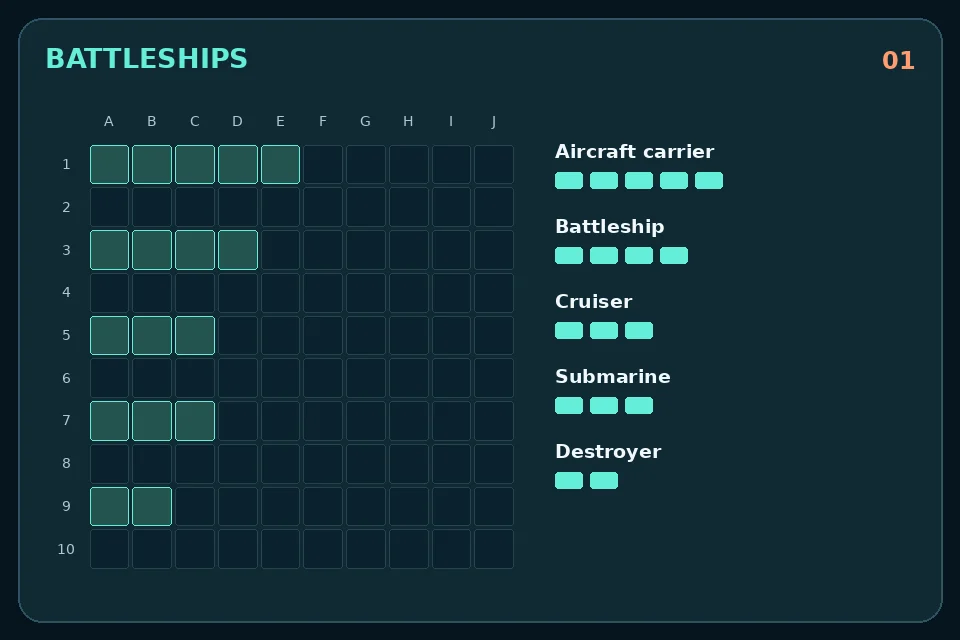
A complete random fleet is ready as soon as you open the game. Keep that arrangement, use the random-placement button for another one, or reposition individual ships. Select a vessel in the fleet register, choose horizontal or vertical orientation, then click or tap its new starting square. On a keyboard, R rotates the selected orientation during setup.
Your aircraft carrier occupies five squares and the battleship four. The cruiser and submarine each cover three, while the destroyer needs two. Together, the five ships occupy 17 of the 100 squares.
Ships must not touch, even diagonally, and every part must stay inside the grid. A horizontal five-square carrier cannot begin at H4 because it would extend beyond J4. An invalid move leaves the current formation in place; pick another starting square or change direction. Selecting a ship lets you move that vessel rather than adding a sixth one.
Once the battle starts, choose a square in enemy waters. Keep shooting after a hit; your turn ends only when you find water. The computer follows the same rule, so a successful enemy attack can produce several shots in succession.
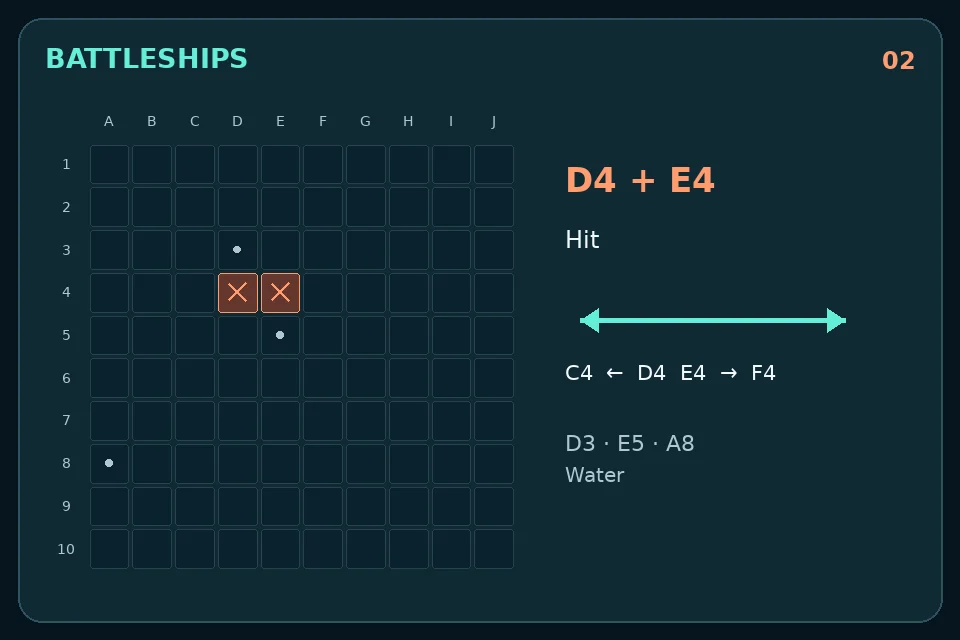
Imagine that D4 is a hit. C4, E4, D3 and D5 are the immediate places to investigate. If E4 is also a hit, you have found a horizontal section. Continue along that row, checking which end remains unresolved. Shooting a distant corner at this point would abandon a concrete lead.
Two hits do not necessarily mean a sinking: the ship may be three, four or five squares long. A vessel is destroyed only when all its squares have been hit. The game names the sunk ship, letting you update your idea of what remains hidden. Previously fired-upon squares cannot be selected again.
Pick a difficulty before starting. The three choices change the computer’s targeting behaviour, not the size of your fleet or the rules for taking turns. The choice is locked during a battle and becomes available again when you return to setup.
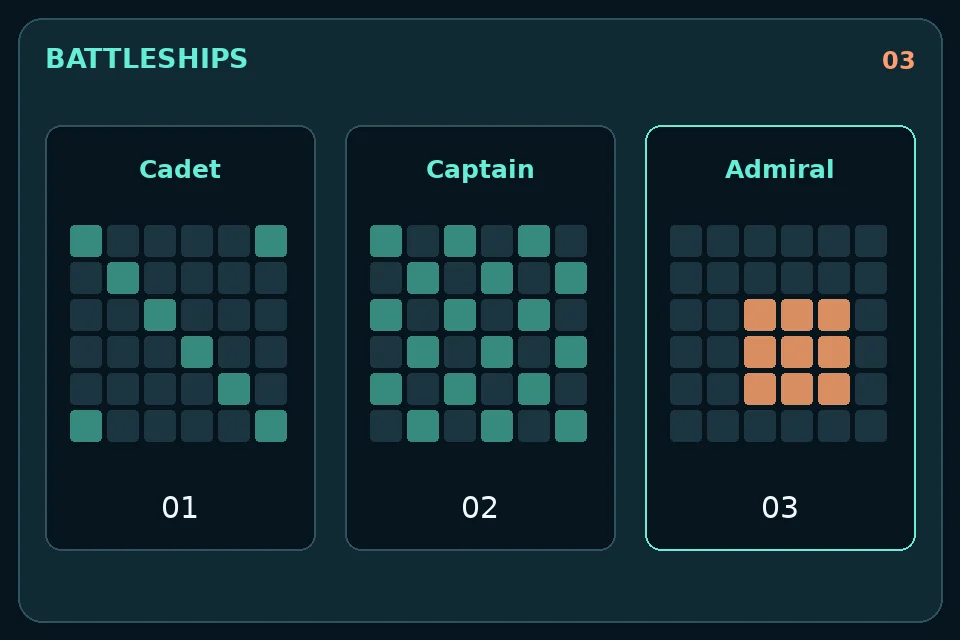
Cadet chooses randomly among squares it has not already fired at. It is a useful starting point when you want to learn placement, coordinates and the rhythm of taking another shot after a hit.
Captain investigates squares next to unresolved hits. While searching more broadly, it favours a checkerboard pattern before using the remaining squares. Leaving a damaged ship only partly discovered is therefore more dangerous against this opponent.
Admiral scores possible ship positions against the shots already taken and the lengths of surviving vessels. Hits increase the weight of compatible positions. It also excludes positions conflicting with known water or the surroundings of sunk ships. This is a more focused search, not a promise that every computer shot will hit.
On a wide display, your fleet and enemy waters appear alongside the central command panel. That makes it easy to compare your attacks with the damage your own ships have taken.
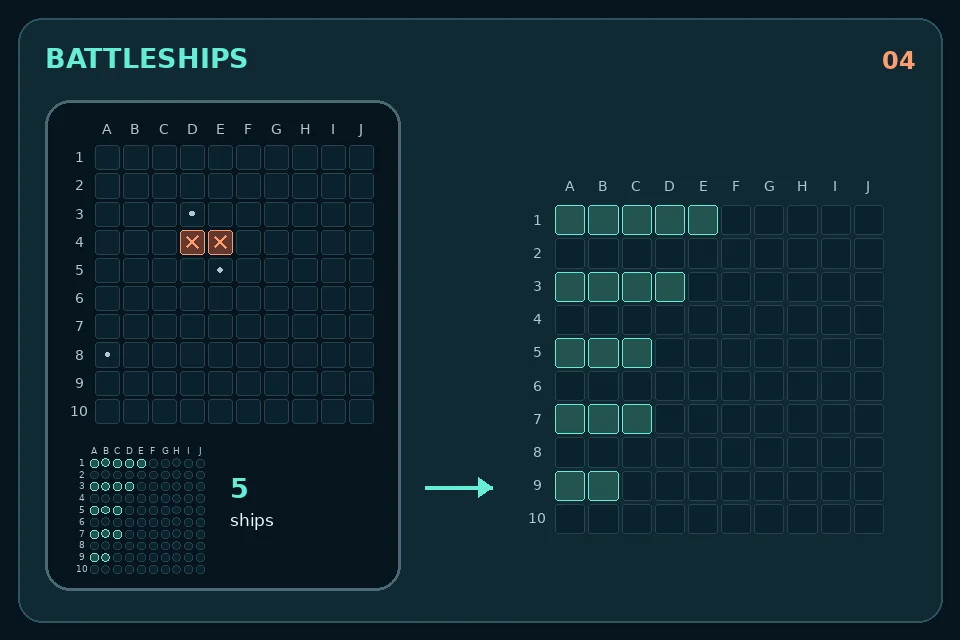
The mobile layout gives the active grid more space. During setup, you work on your own fleet. During battle, the enemy grid becomes the main target area, with a small overview of your fleet underneath. Tap that overview to inspect your waters at full size, then use Back to attack to return.
The game does not force you to switch grids every time the computer fires. Its latest attack is also reported in the overview. If you lose track of whose turn it is, check the status message before tapping another square. Mouse users can click; keyboard users can move between controls with Tab and activate them with Enter.
Before finding a ship, spread your search across useful parts of the board rather than repeatedly probing one tiny corner. After a hit, change approach: the neighbouring squares now deserve more attention than unexplored distant water.
Remember the lengths still in play. A two-square opening could hide a destroyer, but not an aircraft carrier. Once a vessel is sunk, the no-touching rule also helps you reason about its immediate surroundings. The game does not automatically fire at those squares for you.
Avoid treating an empty square as a wasted move. It can close off one possible direction and make the next decision clearer. Good deductions improve the quality of your choices, but uncertainty remains until the last hidden ship is found.
Sound starts switched off. Enable it for sonar-style tones, hits and explosions, or leave it muted; the visible messages still explain the result of each shot. You do not need headphones to follow the battle.
The command panel counts your shots and hit percentage. At the end, the report shows your result, shots, accuracy and chosen difficulty. Wins and completed battles are stored locally in the browser, along with your preferred difficulty. They are not an online ranking or a score shared across devices.
Sink all five enemy ships before the computer destroys yours. Every occupied square of a ship must be hit. A successful shot lets you fire again, including after a sinking, unless that sinking has already ended the battle.
This version is solo against the computer. There is no online matchmaking, local two-player mode or shared room code. Choose Cadet, Captain or Admiral to change your opponent’s search strategy.
Yes, it is free to play on alexo.org. No account, sign-up or app installation is required. Open the game in a modern browser, arrange your fleet and start when you are ready.
Check its full length and the surrounding squares. It must fit inside the board and cannot touch another ship, including at a corner. Rotate it or choose a different starting square; moving ships is available only during setup.
An unfinished battle is not saved. Reloading starts a new setup. Only difficulty, wins and completed-battle totals are retained locally when browser storage is available. Clearing browser data or switching browsers does not transfer those values.
You return to setup with fresh fleets. An abandoned battle is not added to the completed-battle count. You can adjust your ships and difficulty before starting again; there is no level progression to unlock.