
Play Prism Blocks free online
Play Prism Blocks free online and make room on an 8×8 board. Place block shapes, complete rows and columns, and collect points. Choose classic mode without time pressure or level mode with a countdown. This browser block puzzle needs no account or app download. Play on your phone with touch controls, or use a mouse or keyboard on your computer.
A colourful block puzzle with room to plan
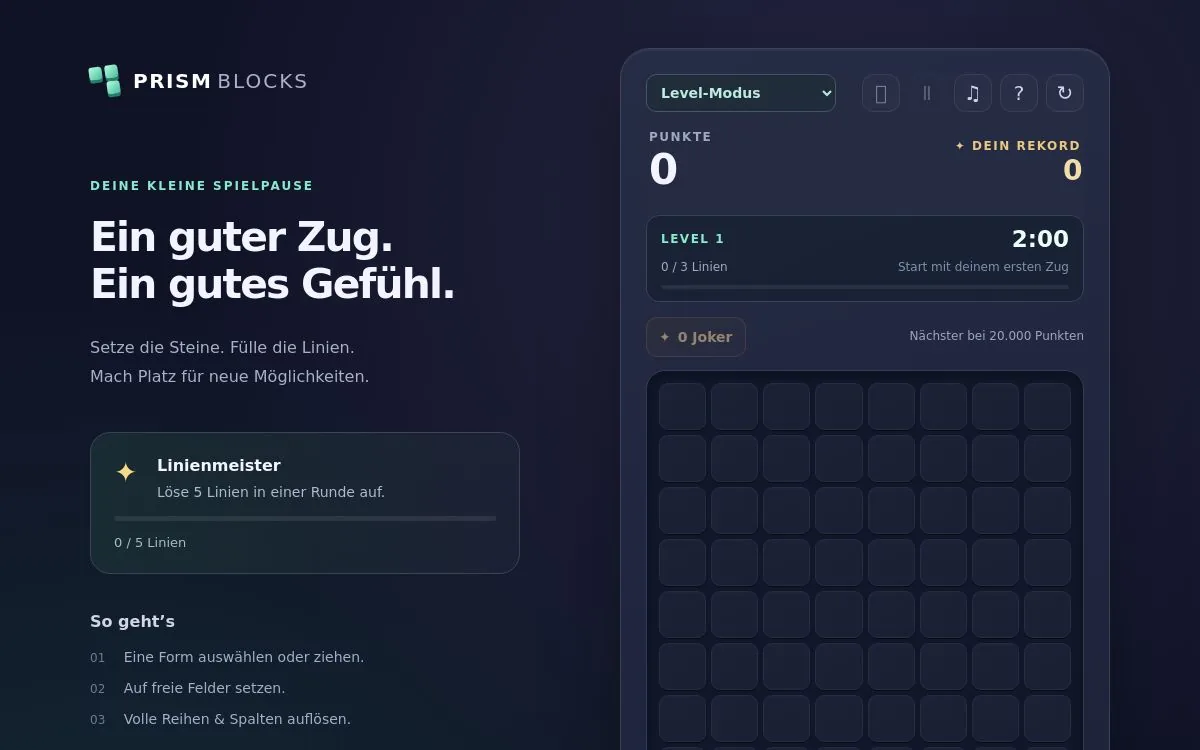
The board has eight rows and eight columns: 64 spaces in total. Three shapes wait below it. Fit them into empty spaces to complete entire rows or columns. Full lines disappear, leaving room for your next moves.
The shapes may remind you of Tetris, but they do not fall automatically. You decide which piece to use first and where to put it. Classic mode gives you time to think; level mode adds a timer. Whether you have a short break or want a longer high-score run, keeping the board open matters.
Colours do not have to match. They help distinguish the pieces, but any completely filled row or column clears. Plan around shapes and spaces rather than matching colours.
How to play: place shapes and clear lines
The first visit opens a short, skippable tutorial. Pause it, replay it using the tutorial button, or download the portrait-format guide video.
- Choose classic mode or level mode.
- Look at all three available shapes and the empty spaces.
- Drag a shape onto the board, or select it and tap its destination.
- Keep every block inside the grid and on an empty square.
- Complete rows or columns to clear them and score points.
The placement preview helps you check a move. A piece cannot overlap occupied squares or stick out beyond the edge. An invalid attempt does not consume the piece or cost points; try another position.
After you place all three shapes, a new group appears. Think about the whole group before making your first move: a small piece may open space for a larger one, while a large shape may prepare a line for a final single block.
When does a round end?
A round ends when none of the remaining shapes fits. In level mode, running out of time can also end it. An available joker offers a rescue; otherwise, start a fresh round and try a different approach.
Pieces cannot be rotated. Use the orientation shown in the tray. Diagonals and small filled squares do not clear: only complete horizontal rows and vertical columns count.
Free browser game with no sign-up
Prism Blocks is completely free to play on Alexo. You do not need an account, registration or an installed app. Open the page, pick a mode and place your first shape.
Play with a mouse on desktop or your finger on a phone or tablet. The rules are the same on each device. To use the keyboard, select a shape, focus the board with Tab, move with the arrow keys and press Enter to place it.
Your round and records are saved locally when your browser allows storage. This is not a synced account: switching browsers or devices, or clearing browser data, can mean your previous progress is unavailable.
Two modes: take your time or beat the clock
Classic mode without a timer
Classic mode lets you compare positions and plan at your own pace. Aim for a long run, plenty of cleared lines and a new personal best. A double clear, longer combo or nearly empty board can be a satisfying milestone even before you beat your record.
Level mode with line targets
Level 1 asks for three lines in 120 seconds. The countdown begins only after your first successful placement, so you can inspect the opening shapes first.
Reach the target to advance, earn bonus points and receive a fresh countdown. The board stays as it is. Extra lines beyond the current target carry over towards the next level, so a careful final move can set up a stronger start.
Time gradually falls to a minimum of 60 seconds, while the target rises to a maximum of eight lines. Levels continue progressively; this is not a fixed campaign of 100 individually designed boards.
Helpful shapes at the beginning
During the first ten levels, new shapes often take existing gaps and possible line clears into account. That assistance gradually decreases later. You still choose each placement: a useful piece only helps if you spot where to put it.
Points, combos and personal records
Every placement earns points, and clearing several lines in a single move adds a bonus. Clear lines on consecutive moves to build a combo.
- Each individual block placed: 5 points.
- Each completed line: 100 points.
- Each extra line in the same move: another 100 bonus points.
- Each combo step beyond the first: 50 extra points.
- Each completed level: 250 × the completed level number.
For example, a four-block piece that completes two lines earns 20 placement points, 200 line points and 100 multi-line bonus points: 320 points, before any combo or level bonus.
A move without a line clear ends your combo. Do not chase a small bonus at the expense of the only space for a large shape. Classic and level modes have separate records stored on your device, and a new best gets its own celebration. There is no shared online leaderboard.
Jokers: a second chance at 20,000 and 50,000 points
Earn one joker at 20,000 points and another at 50,000 points in the current round. Each threshold rewards you once per round, with no further jokers after those two milestones.
A joker clears the whole board and deals three new shapes. Your score, level and line progress remain. In level mode, the full time allowance for your current level returns, starting after your next successful placement. Your combo resets.
- Rescue an ended round with the offered joker option.
- Use a joker during play if you want to free the board early.
- Check whether a remaining shape could solve the problem first.
- Spent jokers stay spent after a reload.
A long run with little usable space is a good moment to consider a rescue. It preserves the progress you have earned, but it is a limited reserve rather than an unlimited escape.
Play on your phone
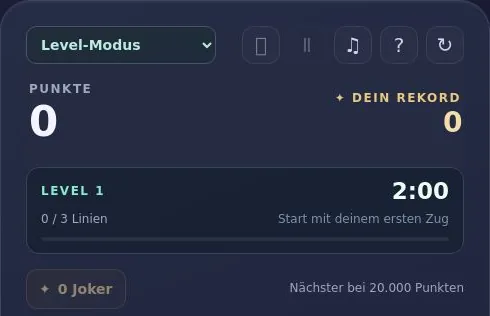
The compact mobile layout keeps your score and important controls visible near the top as you scroll. The board adapts to the available screen height, while combos and total lines sit below the shapes.
Drag or tap to place
When dragging on a touchscreen, the shape appears above your finger so the target is easier to see. Move it over the board, check the preview and release over valid empty spaces.
Alternatively, tap a shape and then its destination. The tapped square marks the shape’s top-left corner. Try both methods and use whichever gives you better control, especially around small gaps.
Fullscreen and pause
The fullscreen button opens native fullscreen when your browser permits it. Otherwise, it switches to an expanded game view with browser bars still visible. Press it again to return. Availability depends on the browser, device and embedding.
Pause stops the countdown in level mode. Switching to another app pauses the run too; resume when you return. Opening the rules or tutorial also stops the clock.
Raised blocks, sound and reward animations
Rounded edges, highlights and shadows give the blocks a three-dimensional look, but the board is a flat, easy-to-read puzzle. There is no camera to control or stack of playing layers.
Placements make a short sound and snap into place. Completed lines clear with particles; combos, level advances, records and jokers have their own sound patterns. A quiet warning marks the final 15 seconds in level mode.
Use the sound button to mute effects. Targets, time and rewards remain visible, so sound is optional. The setting is saved with your local game data.
Seven tips for a longer run
- Check all three shapes. Find space for the largest or most awkward piece before committing the smaller ones.
- Keep connected areas open. A large clear patch is more useful than the same number of isolated empty squares.
- Avoid single-square holes. Helpful early pieces are not a promise that the exact shape you need will arrive.
- Look for crossing clears. Completing a row and column together creates space and earns a multi-line bonus. Watch the preview.
- Plan for the next level. The board carries over, and excess lines count towards the new target.
- Keep a steady pace. Practise difficult patterns without a timer, and pause when interrupted instead of rushing a move.
- Save jokers for valuable progress. A small awkward gap may be manageable; a blocked board or expired timer makes a clearer rescue opportunity.
Frequently asked questions
Is Prism Blocks free?
Yes. The game is free on Alexo. None of the described modes or features requires an in-game purchase.
Can I play without signing up?
Yes. No account or registration is required. Your saved round and personal records stay in the browser you use.
Do I need to download an app?
No. Open the game in your browser and start playing, with no additional installation.
How do I clear a line?
Fill all eight squares in a horizontal row or vertical column. The blocks disappear when the line is full; their colours do not need to match.
Can I rotate the pieces?
Not in this version. Place each shape in the orientation shown and leave enough room for it.
When do I get new shapes?
After placing all three current shapes. You choose their order. Early levels often offer pieces suited to existing gaps and potential clears.
What is the difference between the modes?
Classic mode is an untimed score challenge. Level mode asks you to meet line targets before the countdown ends. Each mode has its own record.
How does level 1 begin?
Clear three lines in 120 seconds. The timer starts with your first successful placement, leaving time to inspect the opening shapes.
Does the board stay when I level up?
Yes. You get bonus points and fresh time, but the board is not cleared. Surplus lines count towards the next level.
How do I earn a joker?
Reach 20,000 and 50,000 points in the current round to earn one at each threshold. A new round begins with none.
What does a joker preserve?
Your score, level and line progress. It clears the board and supplies new shapes; level mode also restores the current level’s full time.
Can I continue after time runs out?
Yes, if you have a joker available. Otherwise, start another round or switch to untimed classic mode.
What is a combo?
Clearing lines on consecutive moves builds a combo and increases the bonus. A move without a clear ends that sequence.
Can I play on mobile?
Yes. Drag shapes or tap a shape and then the board. The compact layout keeps key information visible as you scroll.
Why are browser bars still visible in fullscreen?
Some devices or embedded pages do not allow native fullscreen. The fallback is an expanded game view, and play remains available.
Can I pause and turn sound off?
Yes. Pause stops the level countdown, and the sound button mutes effects. Opening the rules also stops the clock.
Are my score and round saved?
They are saved locally if your browser permits it. You can resume later, but clearing data or changing devices can make that save unavailable.
Is there an online leaderboard?
No. The current version stores personal records for each mode on your device, without a shared ranking of other players.
More free games on Alexo
Try PONG for quick paddle rallies, aim at colourful bubbles in BUBBLE POP, or use a bouncing ball to clear bricks in BRICK BREAKER. All three offer a different way to enjoy your next gaming break.