

A quick look at the road ahead
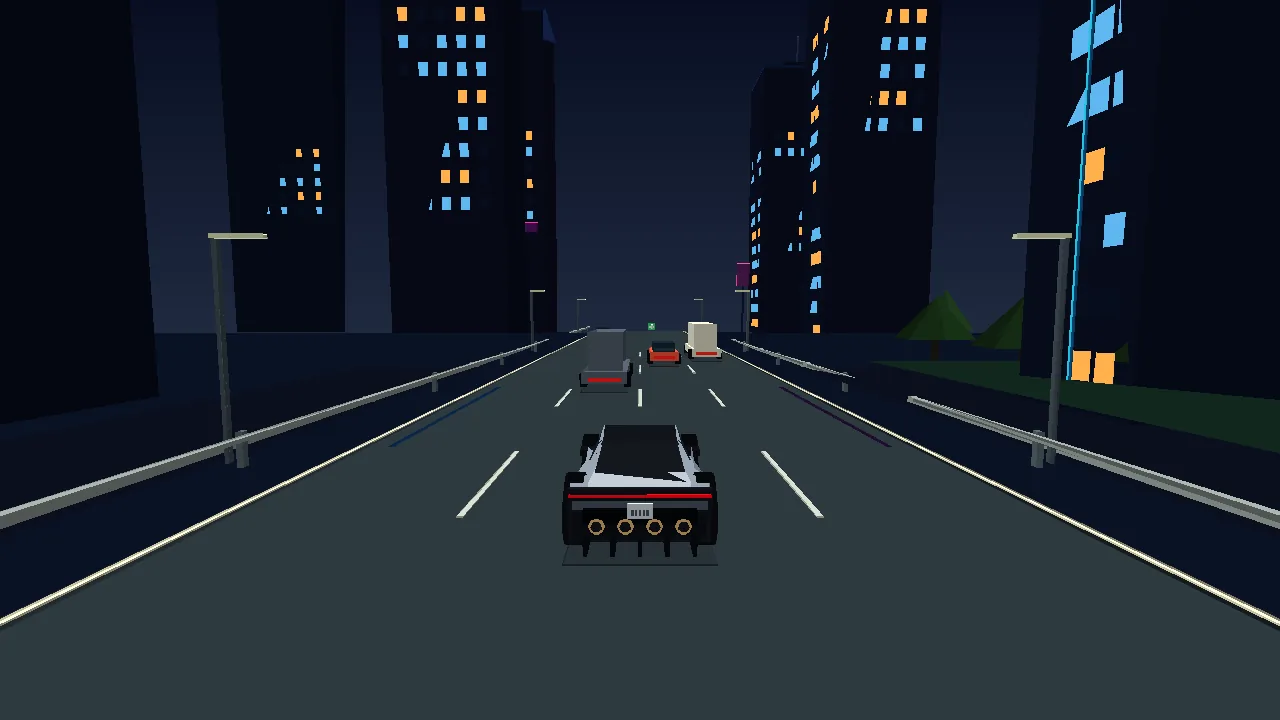
A truck fills your lane. The clock is running. In FLY ROADSTER, you steer an automatically accelerating sports car through motorway traffic, collect energy and reach the finish before time runs out. Use boost on a clear stretch or launch into a 360-degree barrel roll above an obstacle.
Play FLY ROADSTER free online, with no account or sign-up, right in your browser on desktop or mobile.
This 3D browser racing game works on desktop and mobile. Its campaign contains 144 levels, six landscapes with day and night versions, and six mission types. The controls are easy to learn, but a good run depends on where you spend your energy. Protection, jumps and extra speed all draw from the same supply.
Read the traffic before choosing a lane
There is no accelerator to keep pressed. Your roadster picks up speed on its own, leaving you free to watch the vehicles ahead. Look past the nearest bumper: a gap beside one lorry may lead straight towards another. Changing lanes early is usually easier than correcting a last-second decision.
Braking gives you another option. Let a car move ahead, slip behind it and accelerate again once the route opens. The timer keeps running while you slow down, so caution still has a cost. Checkpoints add five seconds, offering a useful reward for reaching the next part of the route. A collision takes away speed and two seconds as well as energy.
Keyboard controls and responsive mobile swipes
On a computer, use Left and Right Arrow or A/D to steer. Hold Space for boost and Down Arrow to brake. Releasing the brake lets the car accelerate automatically. Jump with Up Arrow, W or Shift. After winning a level, a fresh press of Space starts the next one.
On a phone, the left and right buttons sit at opposite edges of the screen. Brake, jump and boost controls are between them. You can also swipe sideways on the playing area. The car responds during the gesture; a longer swipe can cross several lanes. Swipe upwards to jump. Choose the method that lets you keep watching the road rather than hunting for a control.
Jump early enough to clear the obstacle
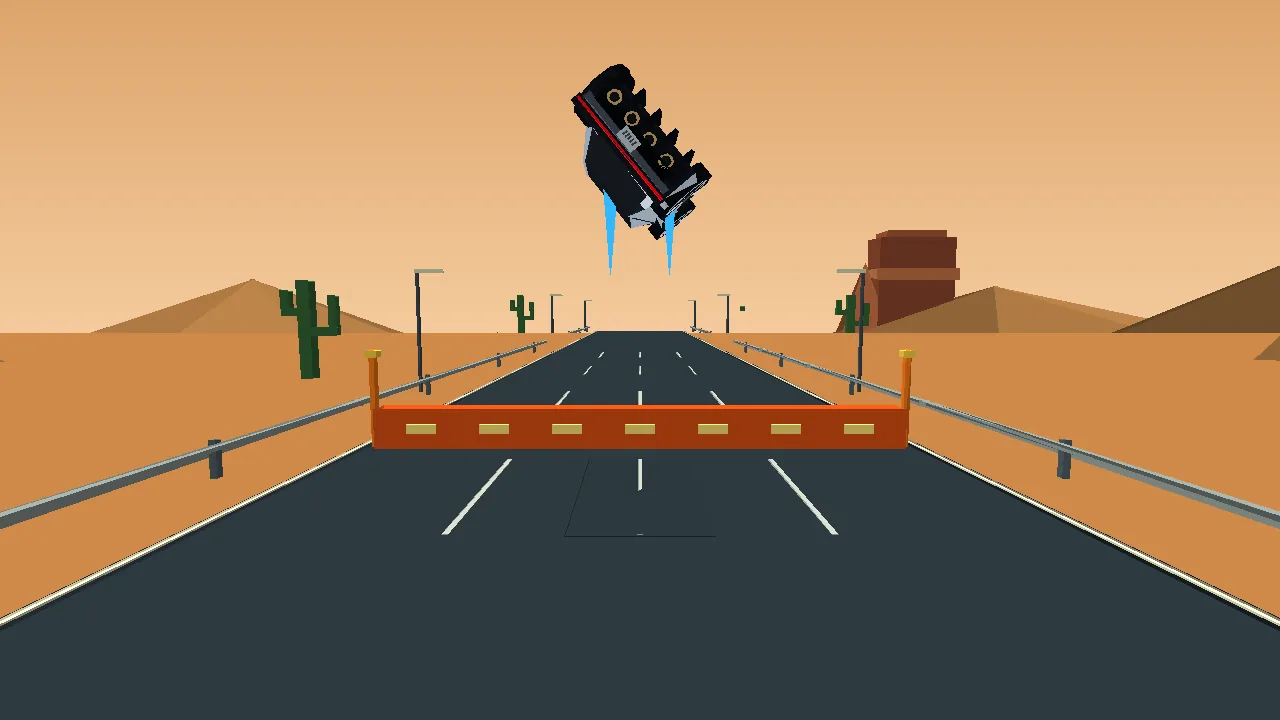
The jet-powered jump carries the car upwards while it rolls around its lengthwise axis. This is a barrel roll, rather than a forward somersault. Steering remains available in the air, which helps you prepare for the landing instead of simply returning to the lane you left.
Each jump costs 35 energy. You cannot trigger another while airborne, and landing is followed by a 0.5-second cooldown. Height matters when clearing vehicles or the orange mission barriers. Launching at the final instant may leave you too low. Watch the cyan take-off markings and leave enough road behind the obstacle to settle back into traffic safely.
One energy reserve for protection, boost and jumps
The energy bar replaces a separate set of shield lives. A normal traffic collision costs 30 energy; precision missions increase that loss to 45 or 60. If a hit empties the reserve, the run continues. However, another collision with no energy ends the attempt. Spending everything on speed therefore leaves you exposed even when you have plenty of time remaining.
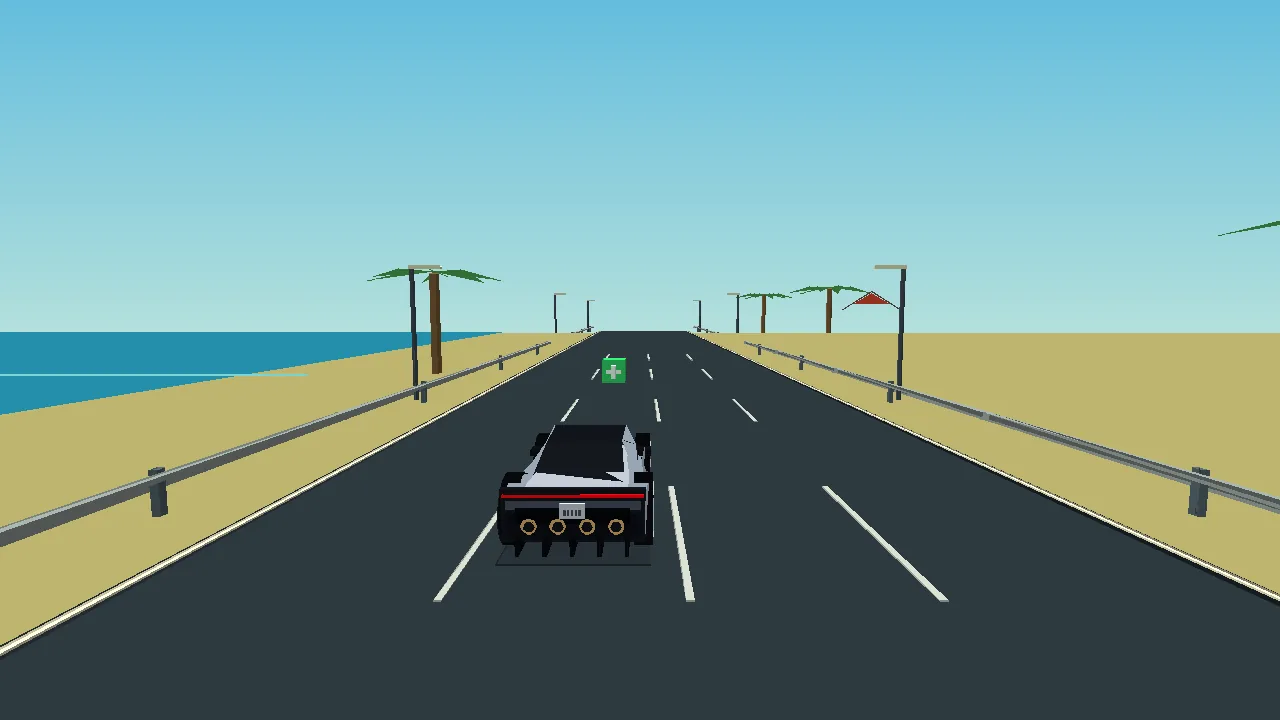
At zero, the car can still drive and steer, but it cannot boost or jump. Automatic recharging starts after three seconds of complete depletion. Pickups help immediately: small energy cells restore 15–20 points, while large cells and charging strips give 30–40, depending on the level. The maximum is 100. Later stages offer a smaller starting reserve and slower regeneration, while boosting consumes more.
Read the colours without losing sight of the road
The bar is dark green from 80%, light green from 60%, yellow from 40%, reddish from 30% and red below 30%. These bands make a shrinking reserve easier to notice at a glance. For a compulsory jump, check the number too: a red bar cannot cover its 35-point cost.
A pickup is useful only if you can reach its lane without creating a worse problem. Look for the cell early, check approaching traffic and move across when the opening is clear. Avoid cutting through several occupied lanes merely to recover a little energy. Sometimes keeping your current reserve is the safer choice.
Six landscapes in daylight and after dark
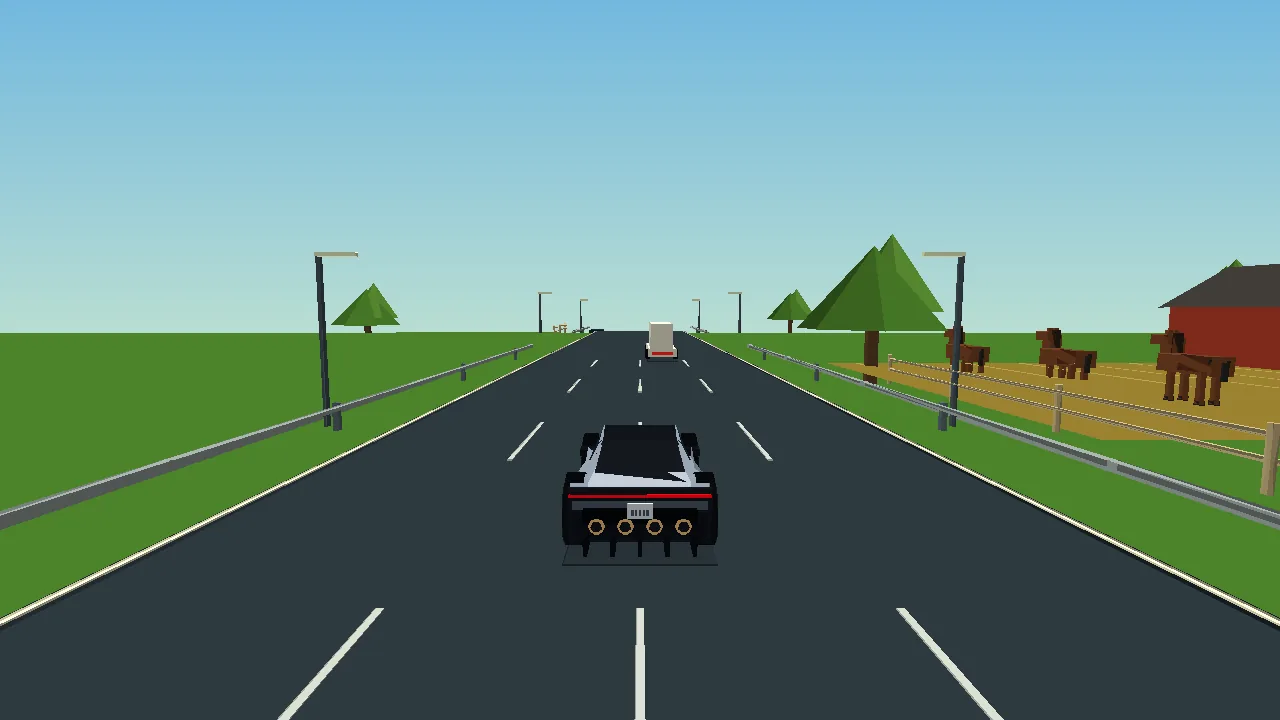
The campaign visits countryside, desert, city, mountains, coast and a futuristic city. Fields, cattle and horses give rural routes a different character from the cacti and rock formations of the desert. Coastal stretches bring sea and palms into view, while city routes put buildings and illuminated windows beside the road.
Each landscape has 12 daytime and 12 night-time levels, making 24 per environment. You can also select a landscape and time of day independently of the campaign journey. The opening scene uses the city at night. These changes affect the atmosphere; they do not introduce different steering rules or require you to learn a new control scheme for every region.
What changes across the 144 campaign levels?
Time Trial asks you to finish before the countdown expires. Precision makes collisions particularly expensive. Jump missions require you to clear the orange barriers, while Boost Challenges test your approach to speed gates. Rival races put a pink-marked opponent on the route. Finales combine a required jump with the need to beat that opponent.
For a speed gate, aim for 245 km/h or more. Success adds three seconds and 15 energy. Passing too slowly removes three seconds but does not immediately stop the run. In a Boost Challenge, you need at least two thirds of the gates. The rival also reacts to traffic, changing lanes, braking behind blocked routes and jumping obstacles rather than driving straight through them.
Better runs come from fewer rushed decisions
Reserve boost for a stretch you can actually use. Accelerating into the back of a traffic group wastes the benefit and leaves less energy for the next hazard. Before a jump section, protect that 35-point reserve. After landing, use the brief cooldown to check your next lane rather than repeatedly pressing jump.
A completed level can earn up to three stars. Winning supplies the first; a clean run and at least ten seconds remaining improve the result. Progress and records stay in the current browser. Replaying a level is therefore a chance to refine your route, not simply to hold boost for longer and hope the traffic moves out of the way.
Music, sound and a clearer playing area
The soundtrack includes 12 synthesised music profiles, with day and night variations for the six environments. Each has three intensity layers. Boosting, nearby rivals and the closing part of a run can make the accompaniment more energetic. Sound starts after your first interaction and can be switched off from the top bar.
The same bar contains fullscreen, where supported. On a desktop, Escape leaves fullscreen; on a phone, availability depends on the browser. Pausing stops the race countdown. These practical controls help when you are playing during a short break, but they do not turn a difficult mission into an automatic win.
Frequently asked questions
Do I need to install FLY ROADSTER?
No separate game installation is needed. Play directly in a browser with WebGL support. Loading the game and its assets requires a connection; an offline mode is not promised.
Can I play on both a phone and a computer?
Yes. There are touch buttons and swipe controls on mobile, plus keyboard controls on desktop. Progress is stored locally, so the two devices do not automatically share your unlocked levels.
Why will the car not jump again?
Check three things: you need 35 energy, the previous flight must be over, and the 0.5-second landing cooldown must have expired. Jumping twice in mid-air is not part of the mechanics.
Does an empty energy bar mean an immediate defeat?
No. You can continue driving. You lose access to boost and jumping, however, and a further hit while empty ends the run. A cell or charging strip can restore energy before automatic charging resumes.
What happens if I miss the speed requirement?
You lose three seconds and continue. A Boost Challenge still requires enough successful gates overall. Watch the mission objective: simply crossing the finish line may not satisfy a specialised task.
How can I protect my saved progress?
Use the same browser and device. Clearing its site data may remove your saved results. There is no automatic cloud synchronisation between browsers or phones in the current game.
Try a different challenge
PONG tests your paddle timing. STARTRAIL calls for quick reactions, while PRISM BLOCKS lets you find the right places for your blocks.