
Pong rules: How to win a round
You control the paddle at the bottom of the active arena. The computer plays at the top. The ball bounces off both side walls, and you return it with your paddle. When one side misses the ball, the other scores a point. Your score appears on the left; the computer’s is on the right.
In regular levels, the first player to five points wins. A two-point lead is not required. The special final rounds at levels 30, 40, 50 and every subsequent multiple of ten through 100 are played to seven points. The current target appears below the arena so you can immediately see how long the round will be.
A rally is the continuous exchange between two points. Each paddle hit increases the ball’s speed up to a limit. After a point, the ball returns to that level’s starting speed. This changes a round’s rhythm: early on you have more time to read the trajectory, while a long rally demands much quicker movements.
Where the ball hits your paddle determines the return angle. A hit near the centre sends it back fairly straight. A hit closer to the edge sends it more sharply sideways. A steep angle can pressure your opponent, but also demands a clearer view of the next return.
Play Pong on your phone
You can play Pong for free directly in your phone’s browser without installing anything. The arena adapts to the smartphone screen and is designed for finger or thumb controls. Tap “Start game” and swipe left or right inside the arena: your paddle follows your horizontal finger position. You do not need to touch the paddle itself; the free space underneath is ideal for your thumb.
The best place for your finger is the free space below the paddle. This leaves room for your thumb without hiding the incoming ball. In normal portrait mode, the paddle sits about 90 screen pixels above the bottom of the arena. The gap adapts to the available arena height.
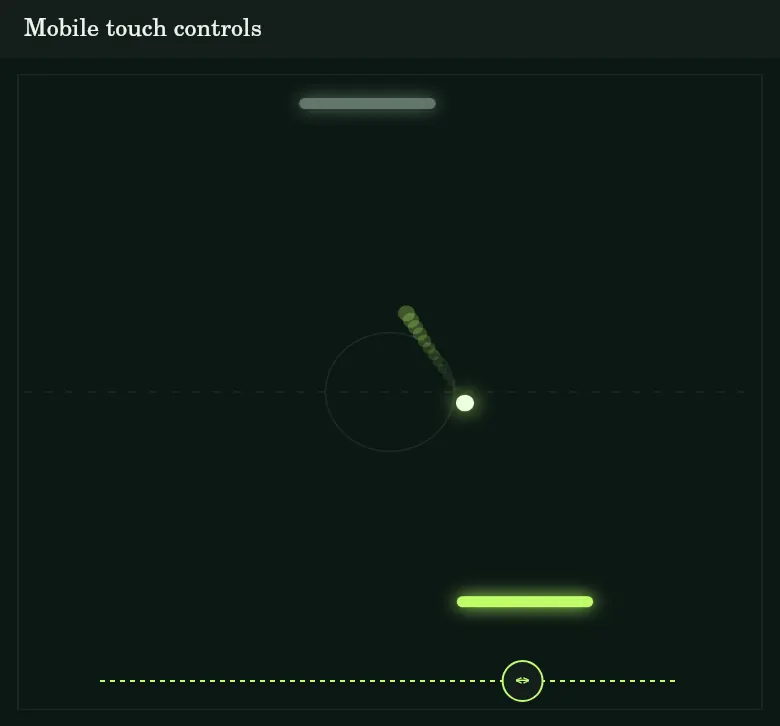
Start with small, steady movements. Moving your finger to either edge keeps the paddle inside the arena; you cannot move it off the screen. Only your horizontal position matters. Moving up or down does not change the paddle’s height.
Touching the arena turns your finger movements into game controls. To scroll the page, swipe outside the arena. You can tap the buttons above it separately, allowing you to pause or enter fullscreen without dragging your thumb through the live rally.
Portrait or landscape?
Portrait mode provides a clear layout with your paddle at the bottom and the opponent above. In landscape, the usable height depends more on browser bars and screen size. Fullscreen can help. Try both orientations and choose the one where you can comfortably see the ball and thumb area together.
Control Pong with a mouse or keyboard
On a computer, move your mouse over the arena. The paddle follows its horizontal position; you do not need to hold a mouse button. Keep the pointer inside the arena so your movements reach the game.
Alternatively, use the left and right arrow keys or A and D. Hold a key to move in that direction. Keyboard movement has a fixed speed, while the mouse points directly to the desired position. This difference can matter when returning a ball far across the arena.
Space starts a prepared round. During play, it switches between pause and resume. Escape first exits fullscreen, closes an open selection or operates the pause. The visible buttons remain available, so you do not have to memorise the shortcuts.
Even on a large screen, reading the ball’s path early pays off. Fast mouse movements do not replace a good estimate of the landing point. Practise safe centre hits first, then deliberately use the paddle edges for tougher angles.
Using pause, resume, fullscreen and home
Pause/Resume and Fullscreen are at the top right of the arena. They are available before and during a round. Pausing preserves the score and current position. Active power-ups do not lose any duration while paused. Press “Resume” or Space to continue the rally.
“Fullscreen” enlarges the arena and removes the surrounding page from your immediate view. The button then becomes “Minimize”. If your mobile browser does not support true fullscreen, the arena fills the available browser area instead. Browser bars may remain visible in that case.
The Home button is at the top left. In fullscreen, it is also on the left of the arena toolbar. Home ends the current round and returns to the selected level’s start screen. Your saved stars, coins and unlocked levels remain; an unfinished score is not carried over.
Switching to another app or window automatically pauses an active round. Scrolling down to the guide also pauses the game once the arena leaves view. Check the Resume button when you return before moving your finger. This is especially useful during long rallies and timed effects.
Light mode, dark mode and game sounds
The sun icon in the header switches between light and dark display. In dark mode, the paddle colours become neon accents against a dark arena. Light mode uses stronger colours and dark outlines to keep the important game elements clear on the pale background.
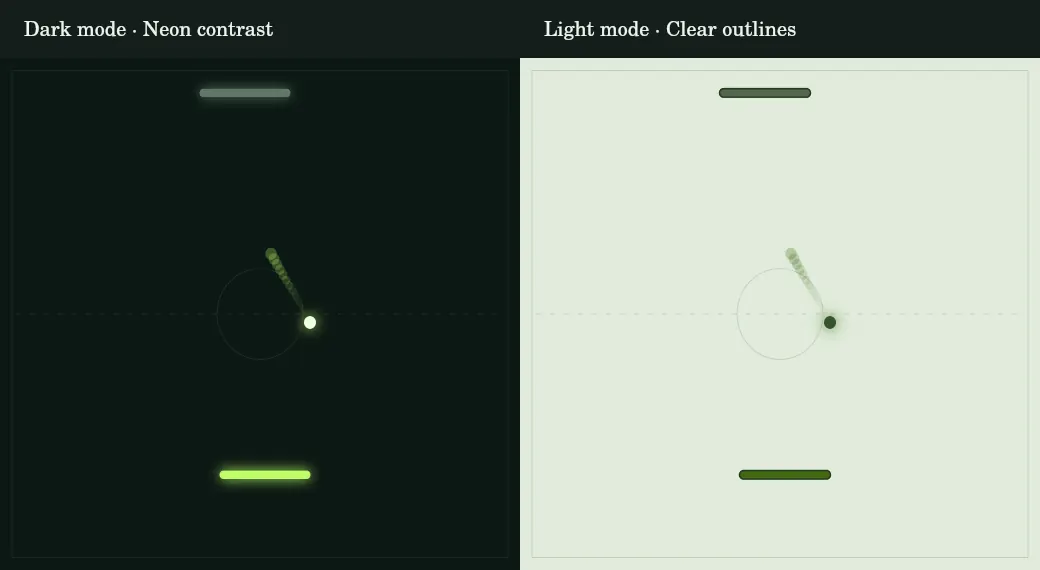
Choose the mode to suit your surroundings: light mode can be comfortable in daylight and dark mode in low light. It changes neither difficulty nor rewards. The same colour setting applies to this guide.
The speaker turns game sounds on or off. Short signals accompany paddle hits, points and special events. You can play entirely without sound because scores, power-ups and ball effects are shown visually. Sound and colour preferences are saved locally with your progress.
Pong levels explained: How each world gets harder
The journey has ten worlds of ten levels each. Start at level 1 and unlock the next stage with each win. You can replay any unlocked level at any time. “View all 100 levels” opens the overview of available and locked stages.
Difficulty increases in several ways. The ball starts faster, your paddle narrows and the computer moves more quickly. Its reaction time decreases and its mistakes become smaller. It increasingly predicts where the ball will arrive after possible side-wall bounces.
World names mark your progress rather than separate game modes. New rules arrive at clear thresholds: more targeted computer returns at level 20, power-ups and final rounds at level 30, and extra ball effects at level 50. Within a world, the underlying values keep increasing.
| Levels | World | Focus |
|---|---|---|
| 1–10 | Green Circuit | Controls and safe hits |
| 11–20 | Blue Current | More speed; targeted AI from 20 |
| 21–30 | Solar Drift | More precise AI; arcade begins at 30 |
| 31–40 | Violet Echo | Power-ups and level-40 final |
| 41–50 | Coral Rush | Narrower hits; ball effects from 50 |
| 51–60 | Arctic Edge | Reading turbo and spin |
| 61–70 | Golden Orbit | Quick decisions |
| 71–80 | Electric Storm | Precision under time pressure |
| 81–90 | Lunar Shift | Very narrow hitting area |
| 91–100 | Final Circuit | Highest base difficulty |
Levels 1–10: Green Circuit and getting started
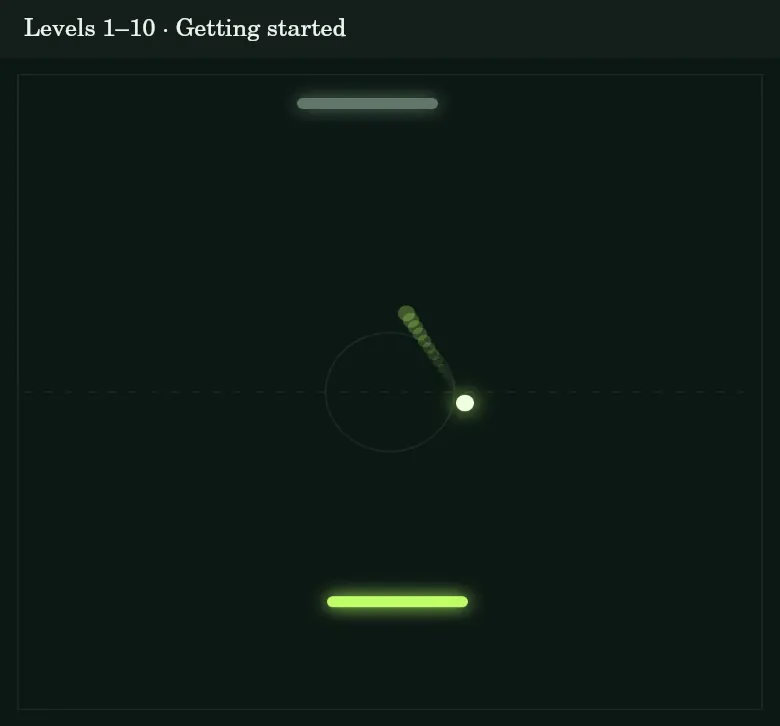
The first ten levels give you the widest paddle and lowest starting speed. Learn finger placement, the side walls and how different contact points affect the ball. The computer is still relatively slow and inaccurate. There are no collectible power-ups or special ball effects.
Aim for five points without making every return as steep as possible. A safe exchange is more useful than a risky angle. Level 10 is still a regular five-point round; the special finals do not begin until level 30.
Levels 11–20: Blue Current and a stronger opponent
In the second world, starting speed keeps rising. You also notice the smaller hitting area and quicker computer movements. Side bounces more often require early correction. Simply following the ball’s current position can leave you late for steep angles.
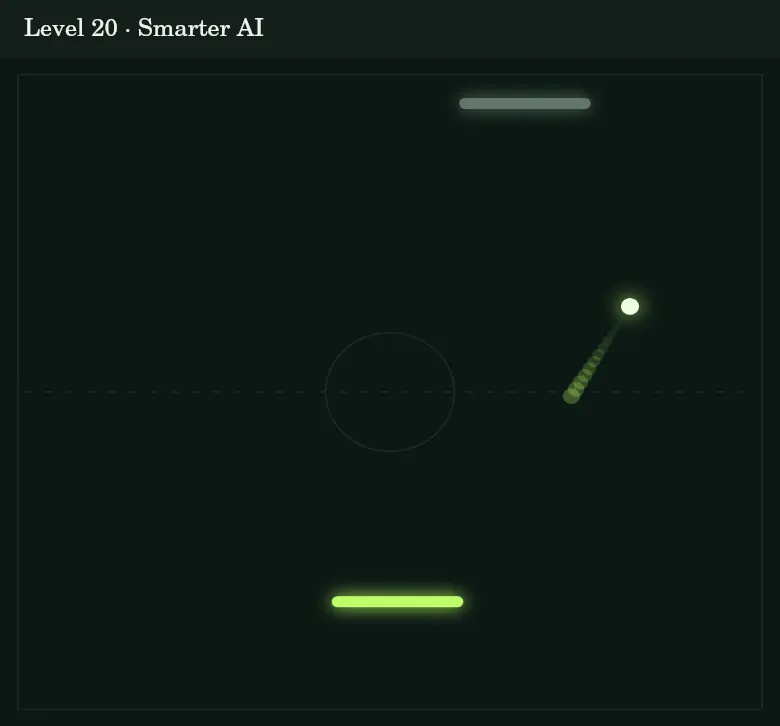
From level 20, the AI aims more deliberately at the free half of the arena. It uses its expected contact position to influence the return angle. Prepare for a change of direction after your own hit. Level 20 still ends at five points and has no power-ups yet.
Levels 21–30: Solar Drift and the first arcade milestone
The third world builds on the stronger AI. Its trajectory calculations become more reliable as your time and paddle width shrink. Straight returns remain easy to control, but often pressure the computer less than deliberately placed angles.
Level 30 introduces collectible power-ups and is the first special final round. It goes to seven points against an additionally accelerated AI. A gold arena label makes the change visible. Allow for a longer round and watch the symbols in the arena.
Levels 31–40: Violet Echo with power-ups
From level 31, power-ups also appear in regular rounds. A wider paddle, slow motion or a shield can help during longer rallies. These temporary effects do not replace good positioning or safe returns. Between finals, the target remains five points.
Level 40 is the next seven-point final. You can try this exact stage using the demo button before unlocking it. It already features a tougher AI and power-ups, but not turbo or spin balls.
Levels 41–50: Coral Rush and new ball effects
The arena does not shrink, but the room for error on your paddle does. Accurate hits become more important. Power-ups remain available as the computer becomes faster and more reliable. Use the moment after a point to reset your finger position.
Level 50 introduces special ball effects. Every fourth paddle hit alternates between turbo and spin. Level 50 combines this addition with a final round. You need seven points while handling both higher base difficulty and the changed ball.
Levels 51–60: Arctic Edge and changing rally rhythms
Turbo and spin are now active in regular levels too. The turbo ball adds extra speed. Spin changes the angle at the triggering paddle hit. A coloured ball and a short arena label identify the effect.
Focus on the next return rather than speed alone. A slow-motion power-up can give you more reaction time in a hectic rally; a wider paddle increases the hitting area. Level 60 closes the world with another final round.
Levels 61–70: Golden Orbit and quick decisions
The AI is now highly mobile. Its reaction time is short and its prediction more accurate than in earlier worlds. Ball speed continues to rise. Randomly moving back and forth wastes valuable time because the narrower paddle requires a more precise final position.
Identify the expected landing point early, then make only small corrections. Deliberate edge hits still matter when making the computer move. Power-ups and ball effects continue, and level 70 finishes the world at seven points.
Levels 71–80: Electric Storm and precision under pressure
The eighth world adds no new rule. Instead, the existing mechanics become tougher: high starting speed, accurate AI, a smaller hitting area and changing ball effects. Their combination makes long rallies increasingly demanding.
Stay alert after a saved ball. The shield is consumed after its first intervention, and a wide paddle narrows again when its time runs out. The effect display helps you judge these transitions. Level 80 is this world’s final round.
Levels 81–90: Lunar Shift and tight hitting windows
In the ninth world, hitting windows are especially tight. A return that worked with the wide starting paddle may now miss it. The AI makes fewer mistakes, but is still not completely flawless.
Repetition helps more than frantic adjustments. Replay an unlocked level to practise a particular combination of angles. A win unlocks the next stage regardless of your star count. The level-90 final requires seven points.
Levels 91–100: Final Circuit and the last final
The last world reaches the highest base difficulty. At level 100, the paddle is much narrower than at the start, the ball begins faster and the AI reacts very quickly. Power-ups, turbo and spin remain active; no invisible or additional ball type is introduced.
Level 100 is the concluding seven-point final. Winning completes the journey through all one hundred stages. Afterwards you can still replay unlocked levels, improve your stars or repeat the final. Saved achievements remain available.
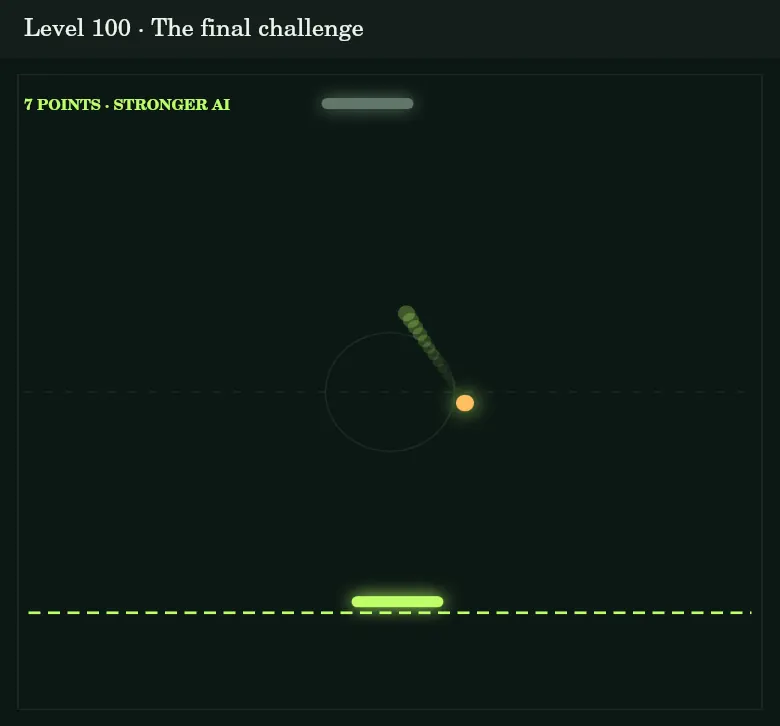
Pong power-ups: Wider paddle, shield and slow motion
Power-ups appear as marked symbols in longer rallies from level 30. The ball collects themwhen it hits the symbol. No extra button is needed. The effect applies to your paddle or the ball’s movement. Only one power-up is active at a time.
Wider paddle: Eight seconds of extra hitting area
The side-arrow symbol widens your paddle for eight seconds. Its height and position stay the same, and the computer’s paddle does not widen. The extra area can help with difficult angles. Once it expires, you need the precision required by the normal level paddle again.
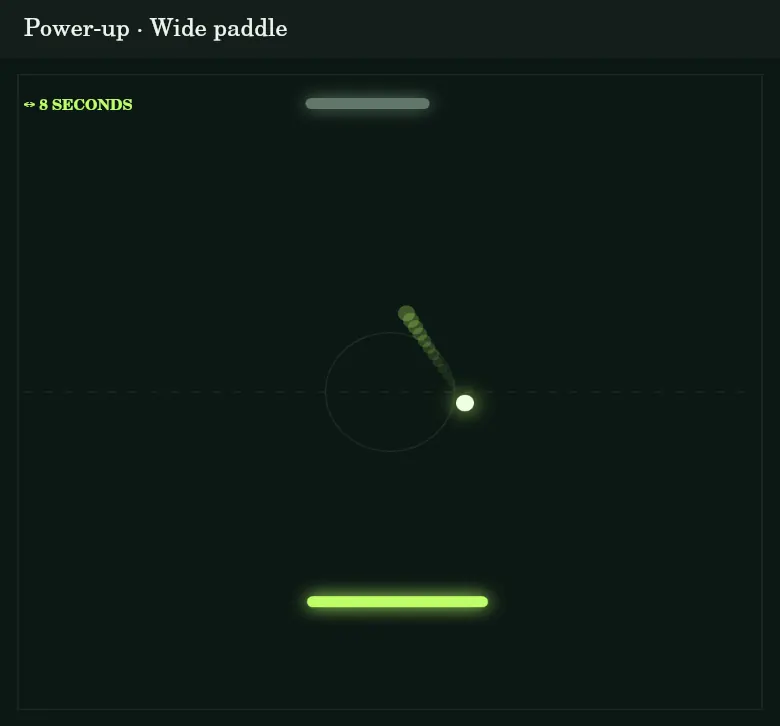
Shield: Save a missed ball
The shield lasts up to ten seconds. If your paddle misses a ball during that time, the protective line catches and returns it once. The shield is then consumed. It does not score a point by itself or protect you indefinitely from later mistakes.
Slow motion: Eight seconds of extra reaction time
Slow motion reduces the ball’s movement speed by 30 percent for eight seconds. This gives you more time to read its path and position your paddle. The effect ends when the time expires, so expect higher speed again when the display disappears.
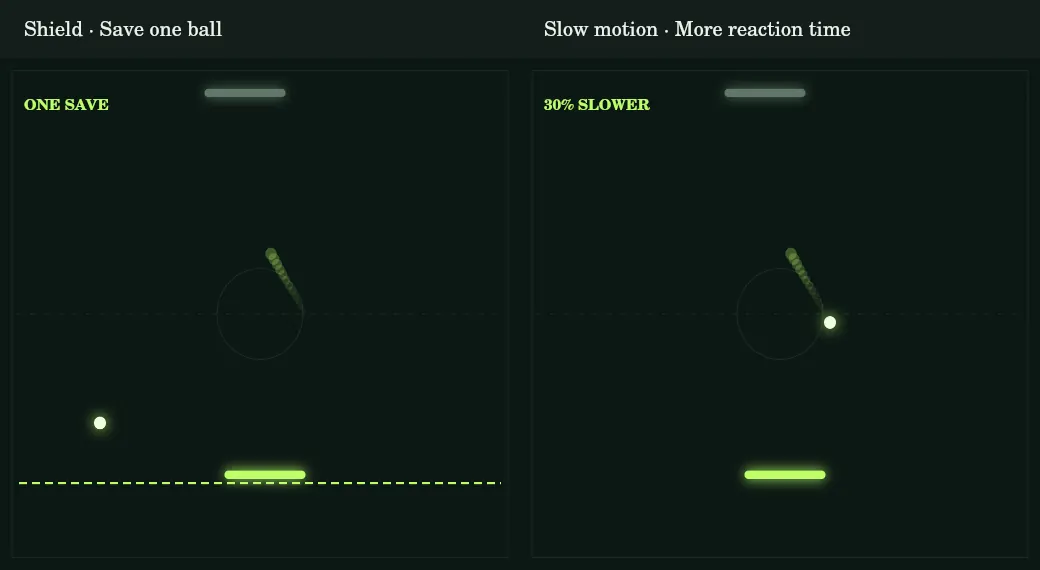
Power-ups reset after each point. Their timers stop during a pause. The arena shows the effect name and seconds remaining. Watch the display without losing sight of the ball.
Recognising turbo and spin balls
From level 50, every fourth paddle hit triggers a special ball. Turbo and spin alternate. They begin at paddle contact and do not require a collected symbol. The ball’s colour and a short text label identify the event.
Turbo increases speed further on top of the normal rally acceleration. Speed remains limited. Spin instead changes the return angle at the paddle. The ball neither disappears nor suddenly jumps to another position.
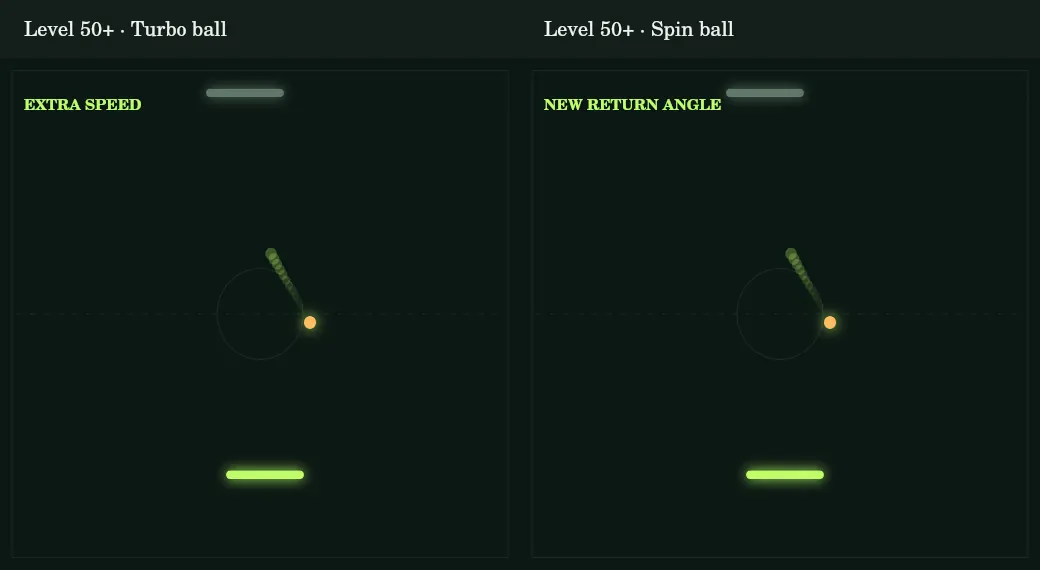
The short display identifies the effect just triggered. It is not the same as an eight-second power-up. A fast return can remain fast within the same rally. After the next point, the ball starts again at the level’s base speed.
Try level 40: Sample a higher Pong stage
“Try level 40” is below the arena. It opens a final-round demo even before you reach level 40. Experience the stronger AI, a seven-point round and advanced-stage power-ups.
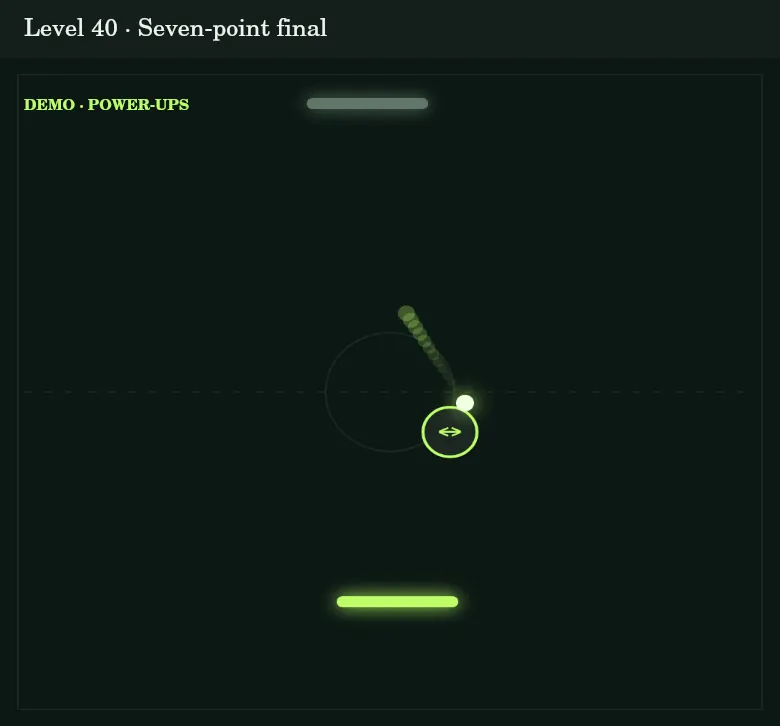
The demo awards no coins, stars or unlocks. Your best rally and milestones also remain unchanged. It is for discovering the game, not skipping normal progression.
Use “End demo” to return at any time. Home also opens the start screen of your previously selected level. After a win or loss, return or replay the demo. An unfinished regular round is not resumed with its previous score.
Earning stars, coins and paddle designs
Your first win in a level earns its full base reward. This starts at 50 coins per level in the first world and increases by ten in each subsequent world. In the last world it is 140 coins. Final rounds from level 30 add 50 base-reward coins, already included in the displayed amount.
Stars depend on the opponent’s points: a win without conceding earns three stars. Conceding one or two earns two stars, and at least three earns one. This also applies to seven-point finals. Your best result is saved for each level.
The first three-star win in a level adds 25 coins. You can earn this bonus later if your first win had fewer stars. Replay wins earn 20 percent of the base reward; the perfect-win bonus cannot be earned repeatedly.
The design shop offers Circuit, Glacier, Ultraviolet, Sunburst, Hot Pink and Pearl. Circuit is available from the beginning. Unlock other colours with earned coins. Designs change appearance only, not paddle size or playing strength. The shop has no payment function.
Additional milestones mark your first win, a rally with at least ten paddle hits and completion of the first world. Your first ten-hit rally earns 100 coins once. Demo mode does not change these rewards or records.
Tips for difficult Pong levels
Watch the expected landing point first. The ball may not arrive where you currently see it. A side bounce can change direction without reducing speed. Move early, then correct only small deviations.
Use the centre for safe returns and the edges for deliberate angles. The sharpest possible ball is not automatically best. Consider where the computer is and how far it must move for its next hit.
Anticipate power-ups ending. A wider paddle briefly gives you more margin, but returns to its normal size after eight seconds. After a shield rescue, you immediately rely on your normal paddle again.
Replay unlocked stages to practise a particular sequence. A steady five-point win is enough to unlock the next level; three stars are an extra goal. You do not need a perfect result in every stage to reach the next world.
Pause to change your hand position. Fullscreen makes the arena look larger, but the rules stay the same. The right colour mode and a clear thumb area can improve visibility without changing difficulty.
Atari’s Pong classic and our reinterpretation
Atari released Pong as an arcade game in 1972. Allan Alcorn developed it. Virtual table tennis with two paddles, a ball and a score display became an influential early success in video-game history. However, Pong was not the first video game. [1, 2]
An early prototype stood in Andy Capp’s Tavern in Sunnyvale, California. The Computer History Museum preserves this machine. The well-known overflowing coin-box story illustrates its popularity: what appeared to be a fault was caused by too many inserted coins. [1, 3]
A home version appeared in 1975, sold by Sears under the Tele-Game name. Today the Museum of Modern Art also lists Pong in its collection as a 1972 work by Allan Alcorn. [1, 2]
Our browser version takes the clear gameplay idea and adds a mobile layout, level journey and arcade effects. It is an independent tribute, not an official Atari game. The historical references honour the classic and its developers.
Saving Pong progress and returning later
Unlocked levels, stars, coins, purchased designs, best rally and preferences are saved locally in your browser. A normal reload does not erase progress. However, the current round is not stored as a resumable checkpoint.
Another browser or device has its own save. There is no cross-device synchronisation. Clearing website data may erase progress. In private browsing, storage may be temporary depending on the browser.
Home and “End demo” preserve your existing achievements. Returning later in the same browser lets you keep using your unlocked stages. The overview displays saved stars and helps you choose a replay round.
Common questions about controls and levels
Can I play Pong directly in my browser?
Yes. Open the game page and start a round. No extra installation is required. Use touch, mouse or keyboard controls.
Why does the paddle not move upwards?
Controls are horizontal. Your paddle stays at a fixed height. Swipe left or right and use the space below it for your thumb.
Why is level 40 still locked?
In regular play, wins unlock levels in order. “Try level 40” lets you discover it as a demo without permanently unlocking it.
Why does a round end at seven points?
From level 30, every tenth level is a special final. These rounds go to seven points. Other levels retain the five-point target.
How do I activate a power-up?
From level 30, the ball collects the visible symbol by hitting it. The effect activates automatically for you; no extra button is needed.
Does level 40 already have turbo balls?
No. Level 40 has power-ups and a final round. Turbo and spin balls start at level 50 and alternate at every fourth paddle hit.
Do purchased designs change difficulty?
No. A different paddle design changes appearance. Game values depend on the level and any active power-up.
Can I complete all levels with one star?
Yes. Every regular win unlocks the next stage. More stars reward a better result but are not required for further progress.
Sources on the history of Pong
Historical information comes from these museum sources. Rules, controls and level features describe our browser version.
Play the next ball now
Start your level or try the level-40 demo.